

With neck branding, you can have your own logo or branding printed in the neck of your garments – for a professional, high-quality brand presence.
How do I activate neck branding?
- Activate neck branding. In the product editor, tick the small box next to “Neck branding”.
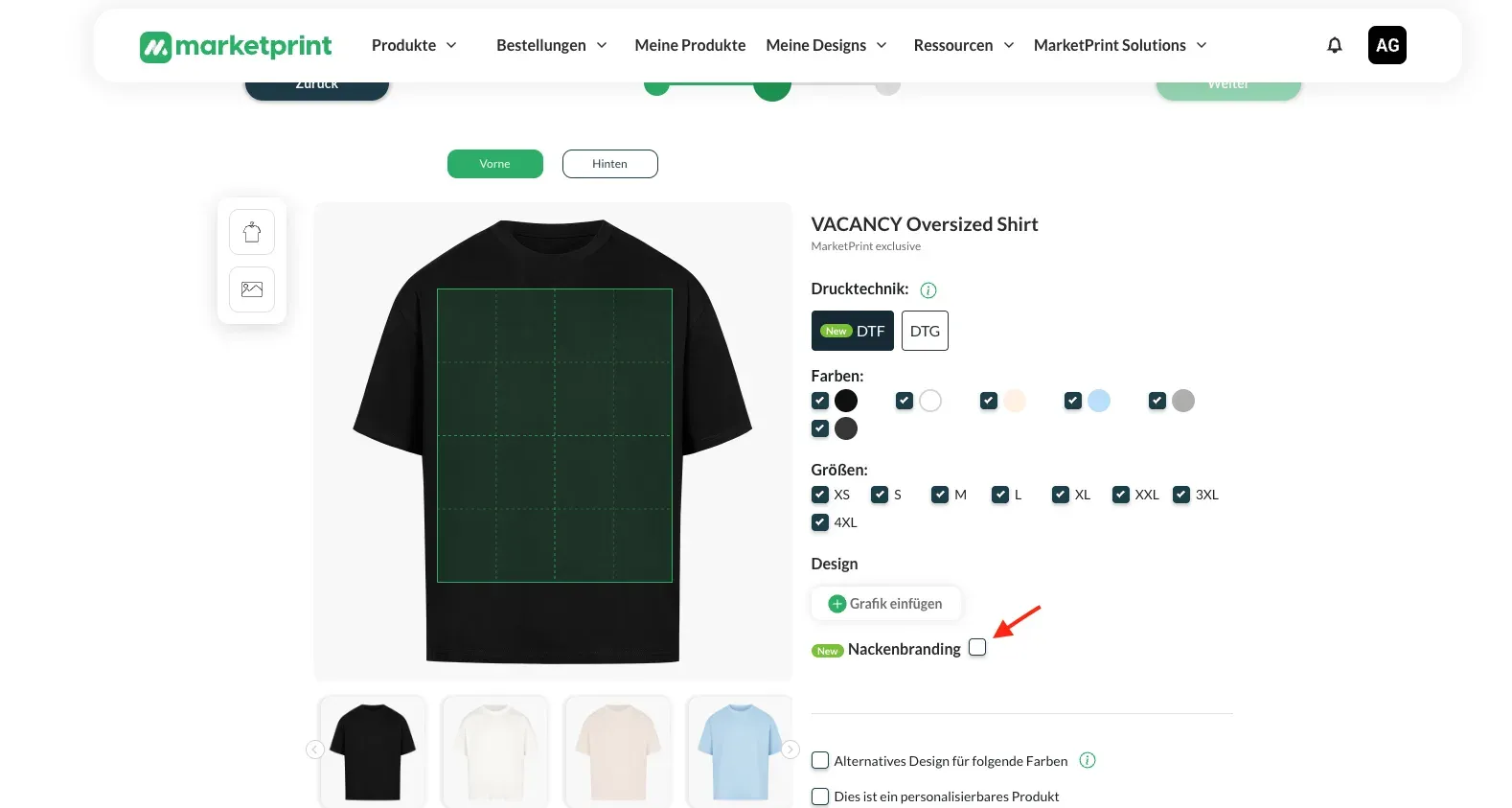 (open image in full size)
- Insert graphic. An “Insert graphic” button now appears below – click on it.
- Select your branding. Depending on whether you sell light, dark or both kinds of garments, you can insert the matching logo or branding for light and dark items here.
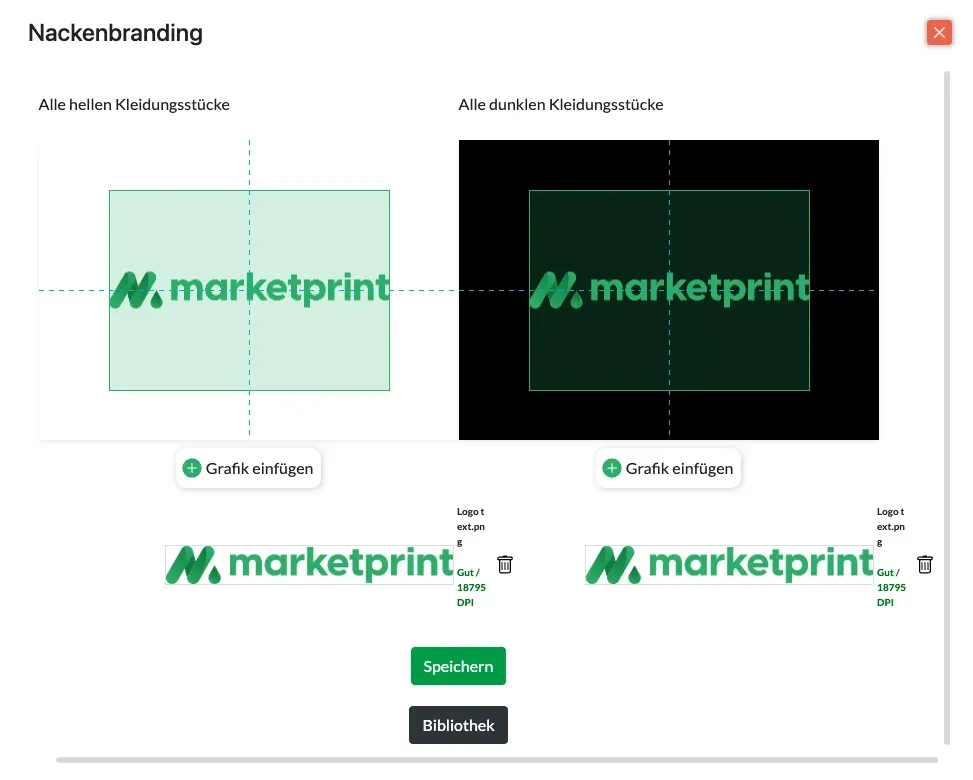 (open image in full size)
- Save. Click “Save” at the bottom – done.


How much does neck branding cost?
The costs depend on the printing technique selected:
- DTF: €2.26 per item
- DTG: €3.26 per item
