

Connecting MarketPrint to WooCommerce
This is how to connect your WooCommerce shop to MarketPrint in just a few steps. You need a WordPress installation in which you are allowed to install your own plugins (your own hosting or a suitable subscription plan).
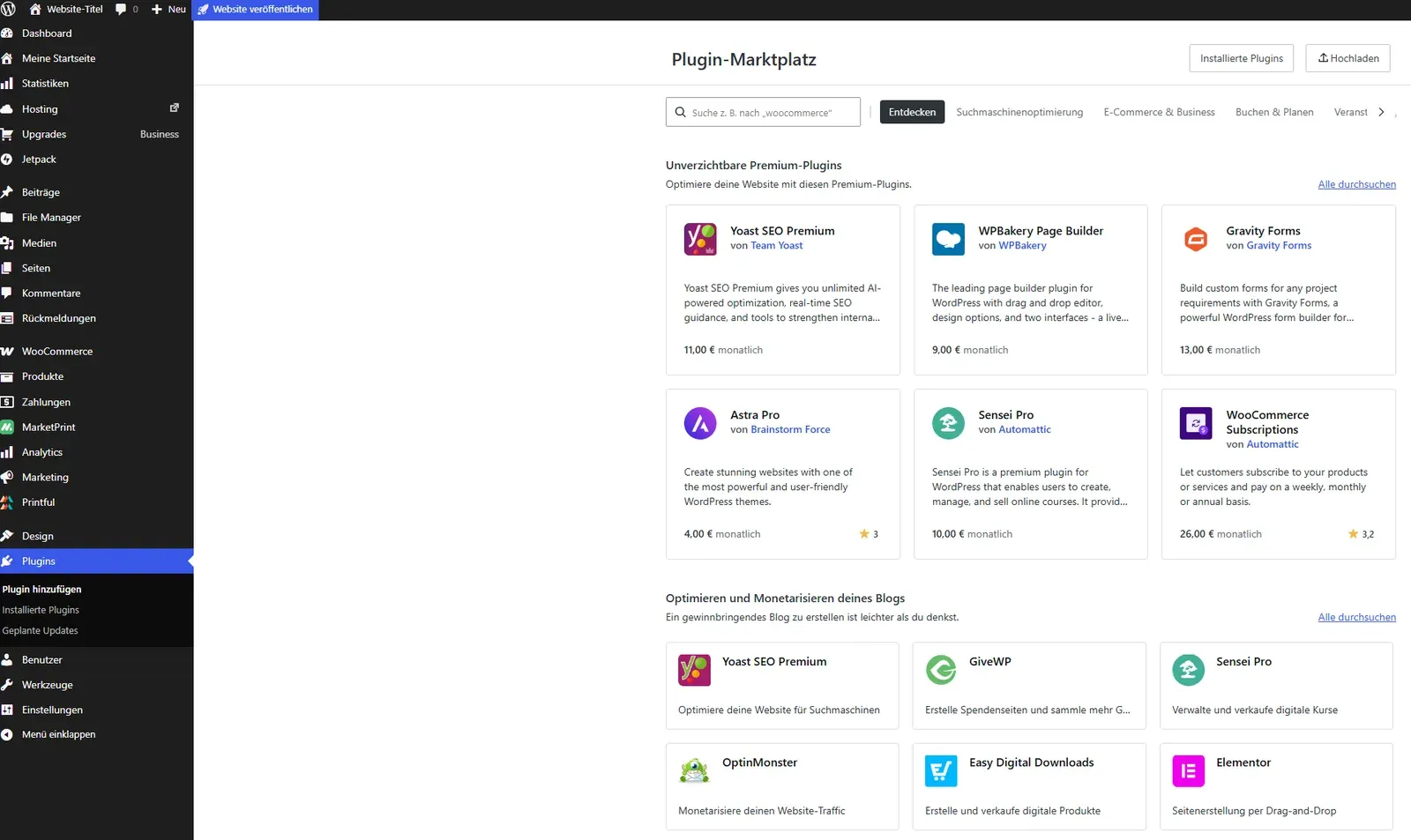
- Install WooCommerce. In the WordPress dashboard, go to Plugins, search for “WooCommerce”, install the free plugin and activate it.
 (open image in full size)
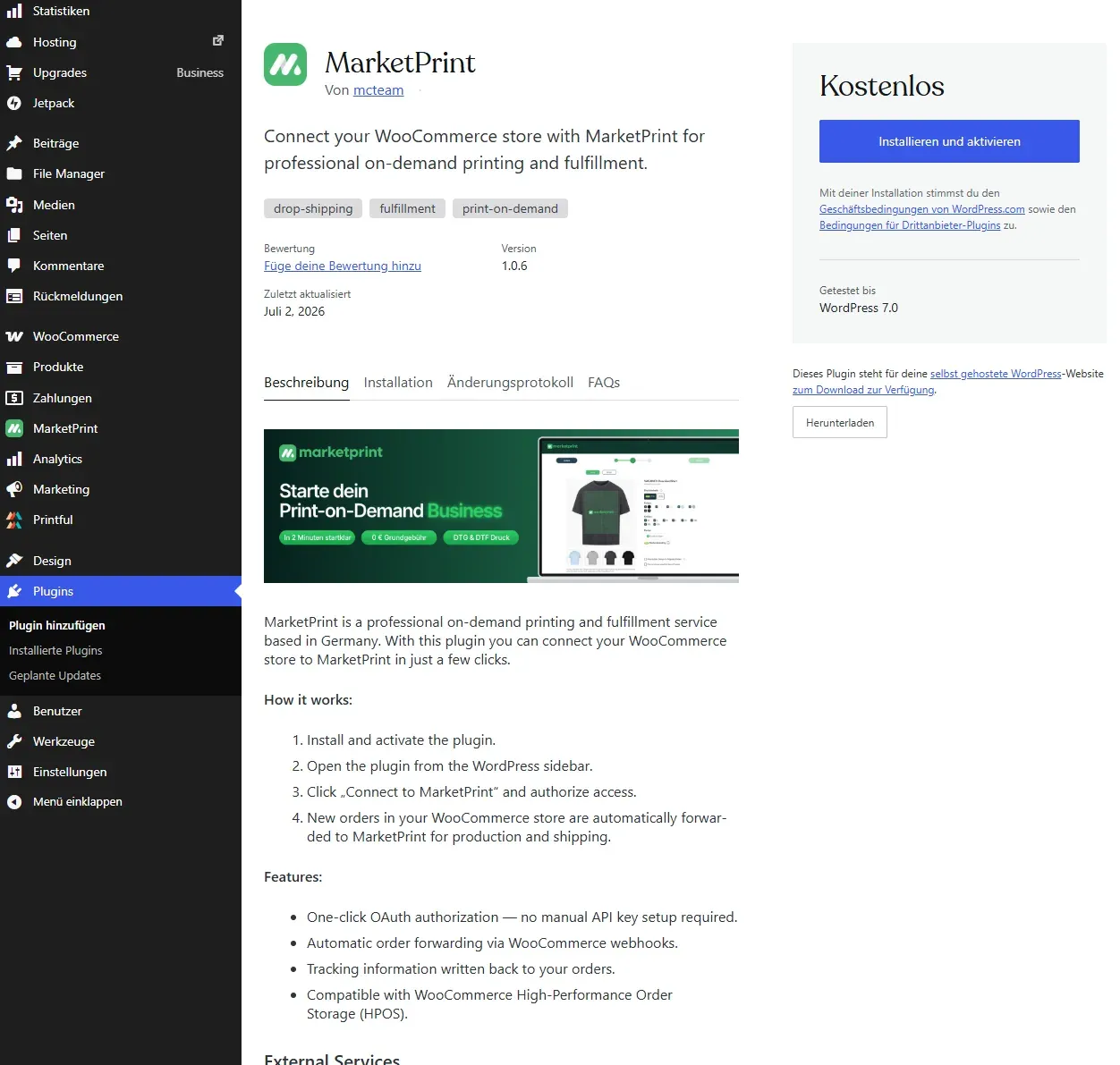
- Install the MarketPrint plugin. Under Plugins, search for “MarketPrint” and click “Install and activate”. Then open the MarketPrint plugin via the sidebar.
 (open image in full size)
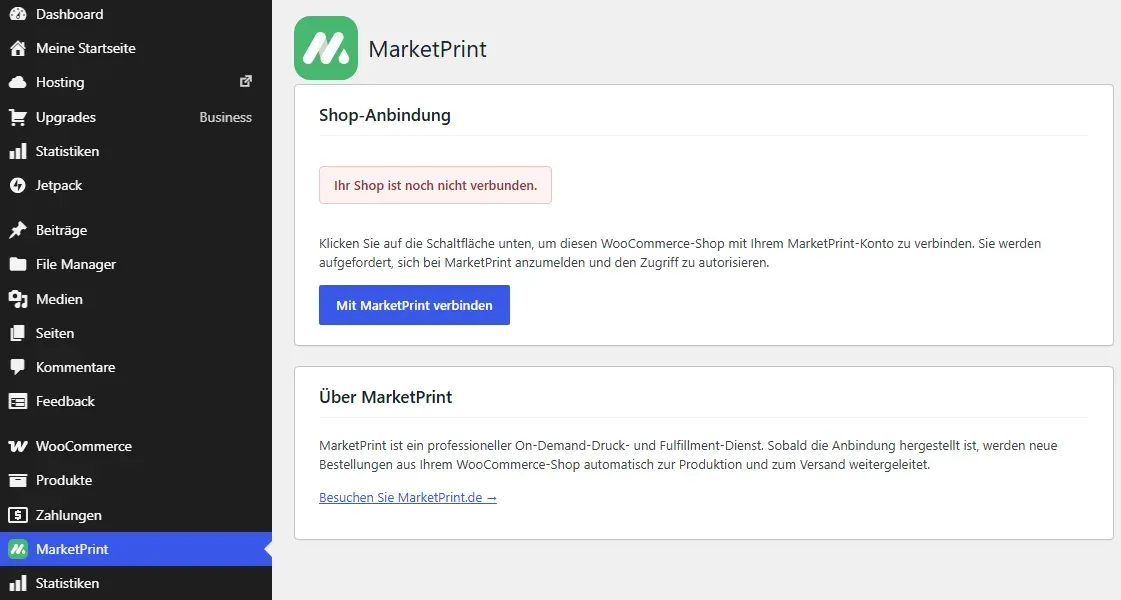
- Connect. Open the MarketPrint plugin and click “Connect to MarketPrint”.
 (open image in full size)
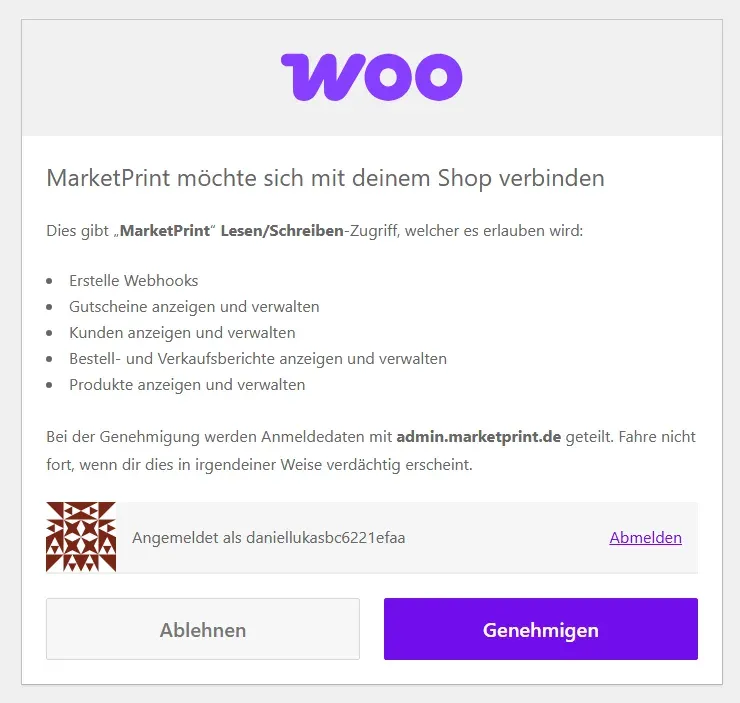
- Then confirm access by clicking “Approve”. If necessary, sign in first at app.marketprint.de.
 (open image in full size)
- Enter your shop details. In the settings of the MarketPrint app, enter your billing address and add a payment method.
- Get started. Creating products and managing orders works as usual, directly in the MarketPrint app.


Done. Your shop is connected – MarketPrint takes care of production, finishing and shipping. The rest of your shop setup (design, taxes, shipping) is handled via the normal WordPress and WooCommerce settings.
Can I also connect MarketPrint to my WooCommerce shop?
Older answer, as of 14 February 2024:
This is not possible at the moment, but we are already working on an integration.
